
AccuWeather: Weather Radar
AccuWeatherWeather
3.6358.09K Reviews
- Version
- Varies With Device
- Installs
- 100.00M
- Age Rating
- Everyone
Screenshots
Our Review of AccuWeather: Weather Radar
 Analysis by Appyee
I use a weather app most when I need to make a small decision quickly: whether to leave early, carry a jacket, or move an outdoor plan indoors. AccuWeather: Weather Radar is built for that everyday check, but it also gives curious users a way to look beyond the current temperature. It is a free weather app from AccuWeather, rated for Everyone, and its mix of forecasts, radar and weather coverage makes it more substantial than a simple home-screen temperature display.
How it fits into a daily weather routine
The app’s current appeal is its range: I can start with local conditions, then look at a forecast or map when I need more context. That combination works well if weather affects your commute, errands or time outdoors. It is less compelling if you only want a minimal glance at the temperature and have no interest in opening a map or reading weather coverage.
AccuWeather has an average rating of 3.5 from around 2.6 million ratings, and it has been installed over 100 million times. Those figures suggest a widely used app, but they do not mean every forecast or screen will suit every person. Weather varies by location, and the useful test is whether the information helps you make better decisions where you live.
Useful beyond the first forecast
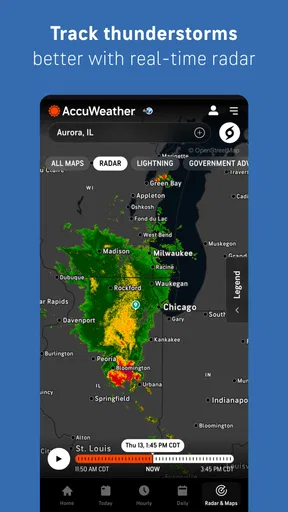
A practical way to use the app is to treat the summary as a starting point rather than the whole answer. Check the local forecast first, then use the radar when the timing or direction of precipitation matters. This is especially helpful before a walk, a school pickup or a drive where a passing shower could change your plans. A map gives a broader picture than a single number, though it still takes a moment to interpret.
For outdoor plans, I would compare the short-range outlook with the longer forecast instead of treating a distant forecast as a promise. A multi-day view is useful for spotting a possible weather concern around a trip or event, but details can shift as the day gets closer. I’d use it to decide when to check again, not to lock in a plan that depends on perfect conditions.
What the app’s scale says—and doesn’t say
With about 359,000 written reviews, AccuWeather clearly prompts plenty of feedback as well as ratings. I see that scale as a reason to expect a mature, familiar product, not as proof that it will be the best fit for everyone. The app is free to download, with in-app purchases ranging from $0.99 to $29.99 per item, so it is sensible to explore the everyday experience before paying for anything.
Its broad reach also makes it a natural comparison with the weather app already on your phone. A built-in option may be quicker for a basic temperature check and can feel less busy. AccuWeather makes more sense when you want to move from a local forecast to radar and wider weather information in one place. If you prefer a spare interface above all else, that extra breadth may feel like clutter rather than a benefit.
Weather decisions that benefit from a second look
One useful habit is to check the radar before leaving, then check the forecast details for the conditions that matter to your activity. A runner may care more about the timing of rain, while someone planning a long drive may pay closer attention to changing conditions along the way. The app can support those decisions, but I would not treat a forecast as a guarantee, particularly when plans depend on precise timing.
Location settings are another practical consideration. A local forecast is most helpful when the selected place matches where you actually need information. If you travel or regularly plan around another town, keeping that place available can save repeated searches. For a one-off destination, remember to switch back afterward; otherwise, a forecast for the wrong place can look convincing while being useless for the day in front of you.
Who should choose it, and what to keep in mind
I’d recommend AccuWeather to people who want more than a quick temperature and are comfortable exploring forecasts, radar and weather coverage. It can be useful for families coordinating outdoor plans, commuters checking before setting off, and travelers comparing conditions at different places. Someone who wants the lightest possible app, or who rarely checks anything beyond today’s temperature, may be happier with a simpler built-in weather tool.
Before relying on any weather app for a high-stakes decision, I’d check the timing again as the plan approaches and use official local guidance when severe conditions are involved. A notification can bring attention to a changing situation, but it is not a substitute for judgment or emergency instructions. That distinction matters most when the weather affects safety rather than convenience.
The app requires Android 8.0 or later, which is worth checking if you’re installing it on an older device. Its Everyone age rating makes it broadly suitable for general audiences, while the in-app purchase range is a reminder that optional spending is part of the experience. I would start with the free use and decide whether any paid option addresses a real need instead of paying simply because it is available.
Getting Started with AccuWeather
The first thing you'll notice when you open AccuWeather is its sleek, user-friendly design. It kicks off with a dashboard that gives you a snapshot of current conditions, the day's forecast, and what you can expect in the coming days. It's intuitive and straightforward, even if you're not a weather geek.
Setting up is a breeze. Just allow location services, and the app will tailor everything specifically for your area. If you're globe-trotting or just curious about other parts of the world, you can easily add multiple locations.
Features That Shine
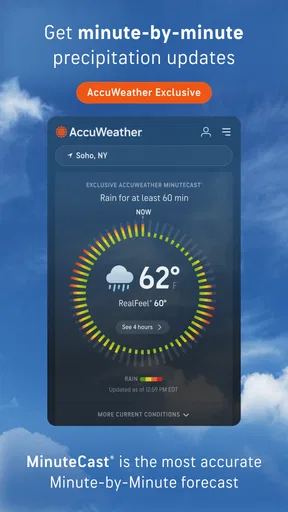
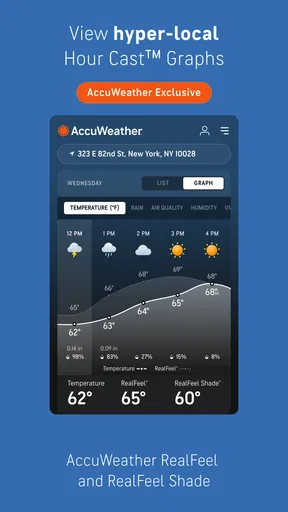
One of the standout features is the MinuteCast, which gives you minute-by-minute precipitation updates for the next two hours. It's perfect for those last-minute "should I bring an umbrella?" decisions. The radar maps are also top-notch, providing a clear visual of weather patterns such as rain, snow, and even cloud cover.
Additionally, the app offers a 15-day forecast, which is perfect for planning those long-term events. You can even dive into details like humidity levels, wind speeds, and UV index. For those interested in more than just the basics, AccuWeather includes news stories and videos on significant weather events happening around the world.
How It Performs Daily
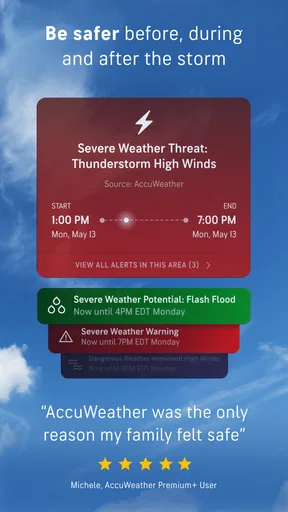
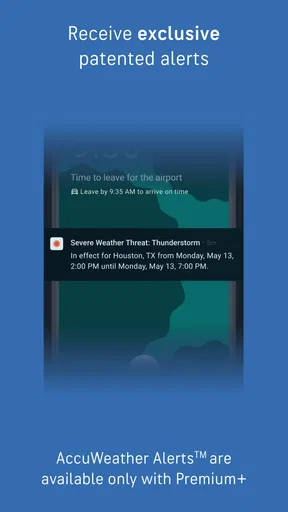
Using the app daily, I found it to be pretty accurate. The forecasts were spot on, and I appreciated the push notifications that alerted me of severe weather conditions. It really gives you that peace of mind knowing you have a reliable source of information at your fingertips.
Battery consumption is moderate, which is a plus for those of us who are always on the go. It doesn't drain your phone, even with location services constantly running.
What Could Be Better
While the app's free version is quite robust, it does come with ads. They can be a bit intrusive, especially when you're in a hurry. However, there's an ad-free version available for a small fee, which might be worth considering if you're a frequent user.
Another minor gripe is the occasional lag when loading radar maps. It's not a dealbreaker, but something to be aware of if you're in a rush to access information.
The Final Verdict
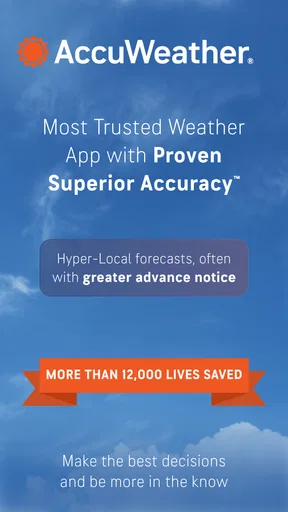
Overall, AccuWeather: Weather Radar is a solid choice for anyone looking to stay on top of their weather game. Its comprehensive features, ease of use, and accurate forecasting make it a must-have app for your smartphone. Whether you're planning a picnic, a road trip, or just your daily commute, AccuWeather has your back.
If you're ready to take control of your weather knowledge, give AccuWeather a download. You won't regret having this trusty app in your pocket, rain or shine.
Privacy and Permissions
See what permissions an app requests and how it handles your data.
- Location
- approximate location (network-based), precise location (GPS and network-based)
- Phone
- read phone status and identity
- Wi-Fi connection information
- view Wi-Fi connections
- Device ID & call information
- read phone status and identity
- Other
- view network connections, full network access, run at startup, control vibration, prevent device from sleeping
Verdict
Strengths of AccuWeather: Weather Radar
- Accurate and up-to-date forecasts.
- Interactive radar maps are detailed.
- User-friendly interface and design.
- Severe weather alerts are timely.
- Customizable notifications for locations.
Limitations of AccuWeather: Weather Radar
- Ads can be intrusive at times.
- Premium features require subscription.
- Some features need internet access.
- Battery consumption can be high.
- Occasional location tracking issues.
Similar Picks in This Category
View All
Weather - By Xiaomi
Xiaomi Inc.4.1

Weather & Radar Forecast
WetterOnline4.8

Weather
OneLouder Apps4.6

The Weather Channel - Radar
The Weather Channel4.6

1Weather Forecasts & Radar
OneLouder Apps4.3

Transparent clock and weather
MACHAPP Software Ltd4.2
You May Also Like
View All

Frequently Asked Questions
What features does AccuWeather offer?
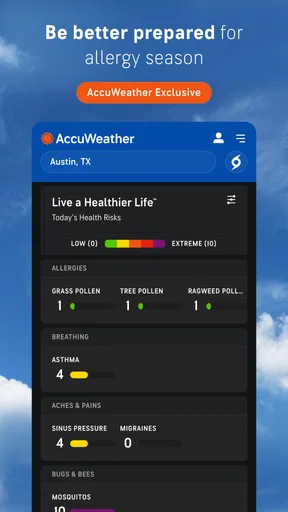
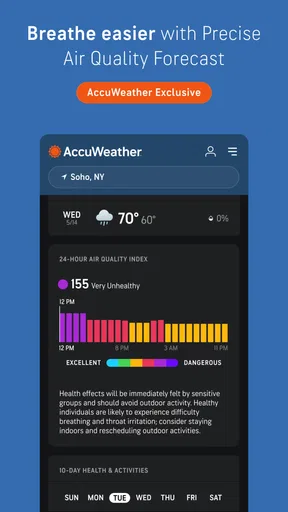
AccuWeather provides real-time weather updates, radar maps, and severe weather alerts. The app includes a MinuteCast feature for hyper-local, minute-by-minute precipitation forecasts. Users can also access extended forecasts, air quality updates, and news about weather events around the world. The app's user-friendly interface makes navigation easy and intuitive.
Is AccuWeather free to use?
AccuWeather offers a free version with access to most of its features, supported by ads. For an ad-free experience and additional features such as advanced radar views and extended weather forecasts, users can subscribe to the premium version. Pricing details are available on the app store.
How accurate is AccuWeather's forecasting?
AccuWeather is renowned for its accuracy, often considered one of the most reliable weather forecasting services. The app uses advanced technology and a global network of weather data to deliver precise forecasts. However, like all weather services, it cannot guarantee 100% accuracy due to the unpredictable nature of weather.
Can AccuWeather send severe weather alerts?
Yes, AccuWeather provides customizable severe weather alerts. Users can set up notifications for various weather conditions such as thunderstorms, hurricanes, and snowstorms. These alerts can be tailored to specific locations to ensure you receive timely updates relevant to your area, enhancing safety and preparedness.
Does AccuWeather offer international weather forecasts?
AccuWeather provides weather forecasts for locations worldwide, making it a valuable tool for travelers and expatriates. The app includes features to check weather conditions in multiple cities, ensuring you stay informed about weather changes no matter where you are. This global reach is one of AccuWeather's standout features.
